Best Distributed Marketing Software for Brand-Controlled Content Creation: Design Huddle vs. Marvia vs. Marq
Local teams need to create content quickly. Central marketing needs confidence that every version stays on brand and meets production requirements. Without a centralized platform, individuals rely on their own tools and workarounds, leading to inconsistent designs, outdated assets, and disconnected workflows.
Distributed marketing software helps central teams manage approved content while enabling franchisees, agents, dealers, and other local users to personalize, post, and print materials within brand guidelines.
The right platform balances local autonomy with brand protection. Design Huddle, Marvia, and Marq approach this balance differently. Here’s how they compare—and what those differences mean for your content creation, production, and distributed marketing workflows.
How we evaluated the distributed marketing platforms
We compared the capabilities, feature depth, and deployment flexibility that shape how distributed teams create, personalize, and deliver brand-controlled content.
Each platform serves a different mix of needs. The table below highlights where each fits best, followed by a closer look at its capabilities and key considerations.
| Distributed marketing platforms | Best for distributed organizations that need: |
| Design Huddle | Brand governance, creative automation, and self-service editing across digital, print, promotional products, and video, with connected AI workflows and flexible embedded and API-driven deployment options. |
| Marvia | Brand-controlled content customization, local campaign distribution and tracking, direct ad publishing, and centralized coordination through a built-in marketing calendar and supplier ordering shop. |
| Marq | Self-service content creation from approved templates, with straightforward personalization, centralized brand assets, and content distribution. |
Editor’s note: We have aimed to represent each platform accurately based on publicly available product information. Features and capabilities can change, so organizations should verify critical requirements directly with each vendor.
Distributed marketing software comparison
At a glance, Design Huddle, Marvia, and Marq share many core distributed marketing capabilities, including template governance, data-driven personalization, and self-service editing. More meaningful differences emerge in template creation and management, AI and automation, and the depth of their capabilities across web-to-print, video, email, campaign execution, and publishing, along with their deployment options.
Those differences can shape both the local user experience and the workload for corporate marketing and technical teams.
|
Design Huddle vs. Marvia vs. Marq |
|||
| Capability | Design Huddle | Marvia | Marq |
| Template governance/brand controls | Yes | Yes | Yes |
| Self-service editing | Yes | Yes | Yes |
|
Template creation & sourcing |
Create in platform or import existing designs, including PDFs and Illustrator-based files; motion graphics can be imported via LottieFiles | Create in platform or import PDF, Illustrator, or InDesign files; video templates use After Effects packages | Create in platform, import InDesign files, or start from Marq's 10,000+ template library |
| Automatic personalization with user or location data | Yes | Yes | Yes |
| Smart template previews | Yes | Not prominently documented | Not prominently documented |
| Web-to-print functionality | Advanced | Yes | Yes |
| Variable data printing (VDP)/automated print personalization | Advanced | Not prominently documented | Yes |
| Print production control | Vector-based PDFs, CMYK, spot colors, ICC profiles, bleed, crop marks, and optional text-to-outline | CMYK, PDF/X-4, ICC profiles, bleed, and crop marks | CMYK, bleed, and crop marks |
| Print ordering & fulfillment | Yes - via Xpressdocs or API integration with a preferred print fulfillment partner | Yes | Yes |
| Direct social publishing | Yes | Yes | Yes |
| Promotional product workflows | Yes | Not prominently documented | Not prominently documented |
| Product mockups | Yes | Yes | Not prominently documented |
| Native video creation | Yes | Not prominently documented | No - via SundaySky integration |
| HTML email template creation | Not currently supported | Not prominently documented | Yes |
| Creative automation - digital | Yes | Yes | Yes |
| Creative automation - print | Yes | Yes | Yes |
| Creative automation - video | Yes | Not prominently documented | Yes - via SundaySky integration |
| Media asset management | Yes - built-in media asset management, plus DAM integrations | Yes | Yes - integrate with DAM solution |
| Hosted distributed marketing portal | Yes | Yes | Yes |
| Embedded creative editor | Yes | Not prominently documented | Yes |
| Headless creative generation | Yes | Not prominently documented | Yes - via API |
| AI functionality | Design Huddle MCP, Agent Skills, AI Creative Tools (e.g., image alteration, image resolution upscaling, copy and social caption generation, translation, and spelling checks), and Design Huddle Agent (coming soon) | Marvia AI, copy and social caption generation, translation, spelling checks, asset auto-tagging, and conversational DAM search | Marq AI, Brand Guardian, AI Marqet, Marq MCP, Brand OS (beta) |
Editor’s note: These capabilities are based on the vendor's current materials. “Not prominently documented” does not necessarily mean a feature is unavailable.
Design Huddle
Design Huddle is best for distributed organizations that need to scale on-brand content creation while reducing routine design requests. It combines user-friendly self-service editing and creative automation across digital, print, promotional products, and video, with built-in brand governance, connected AI workflows, and flexible embedded and API-driven deployment options.
Corporate creative teams turn approved designs into reusable templates, giving franchisees, agents, and other local users room to personalize content within defined brand guardrails.
Data-driven automation delivers templates already personalized for each user, location, or audience, so non-designers can focus on any remaining edits and get polished, on-brand materials into use faster. This gives local teams more independence and frees corporate designers to focus on high-value creative work.
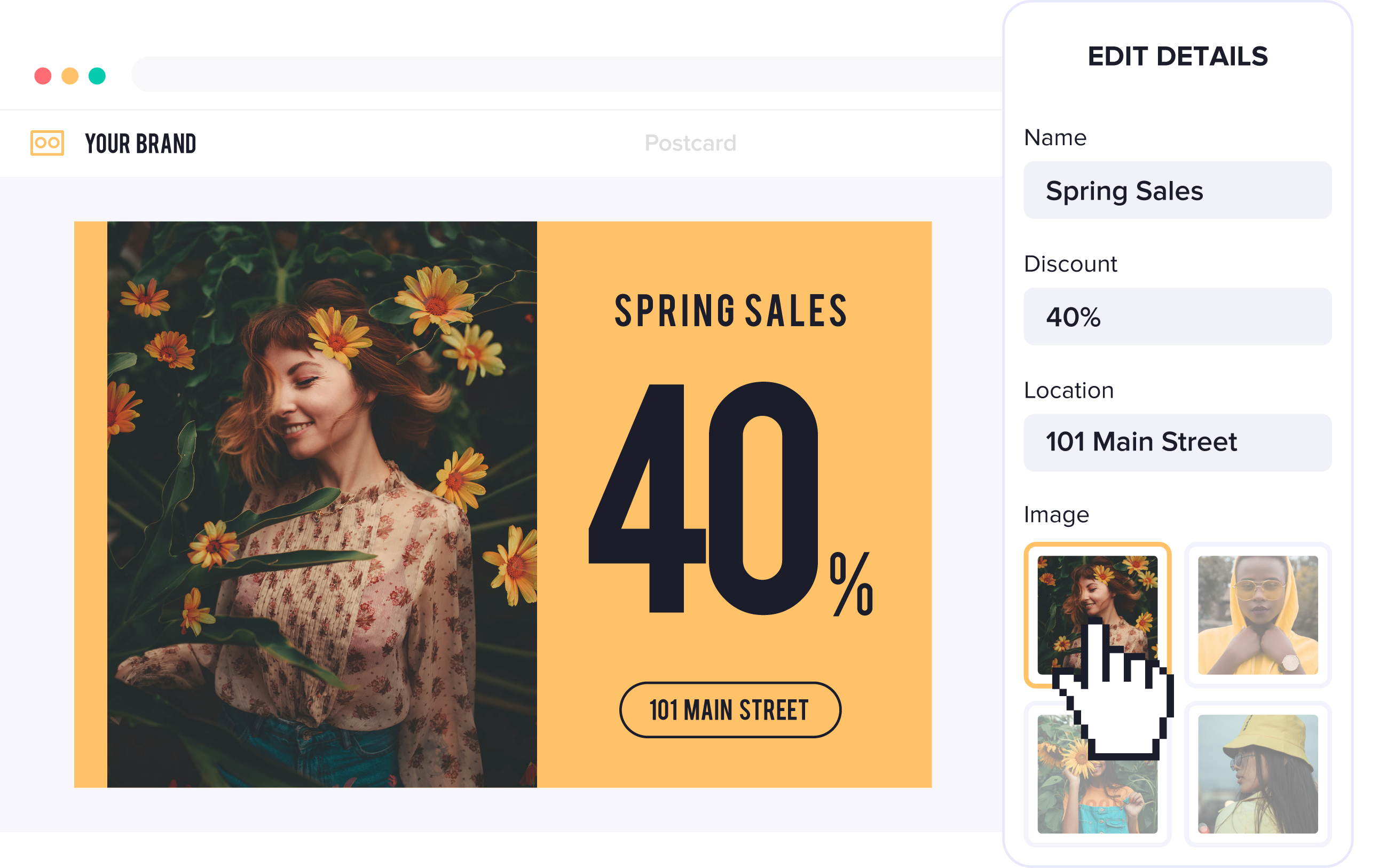
Flexible template locking for brand control
Design Huddle’s granular template locking lets corporate teams control individual design elements and their properties. Local users might update an offer while fonts, colors, and positioning stay protected, or replace a photo with an approved image from their media library.
Admins can apply consistent locking defaults across templates, adjust settings for specific elements, and preview the end-user experience. These controls protect brand standards while giving non-designers a simpler, more focused editing workflow.
Creative automation with self-service editing
One of Design Huddle’s biggest differentiators is how creative automation works alongside self-service editing. Design Huddle can store franchise, location, user, or other business data or pull it from external sources, then use Smart Templates to automatically populate text, images, QR codes, and other content.
When local users log in, they can browse a personalized creative gallery, with template previews already reflecting their location name, address, phone number, hours, and imagery. They can see how designs look with their own content before choosing one, then make any final edits instead of entering their information manually.
Once their content is ready, users choose to download it, send it to print, or schedule designs and videos to post to Facebook, Instagram, Twitter, or LinkedIn. Through a compatible AI assistant, they can also use Design Huddle alongside MCP-connected ad platforms to move finished assets into supported advertising workflows.
Advanced web-to-print and VDP
Additionally, Design Huddle supports advanced web-to-print, variable-data printing, and promotional-product workflows. Print capabilities include vector, print-ready PDFs; CMYK and Spot/PMS colors; custom ICC profiles; custom bleed and crop marks; text-to-outlines; multi-page projects; die-cut stickers; large-format output; and custom print integrations. Product artwork can be displayed on real-time product mockups for personalized merchandise and promotional products.
These capabilities power localized direct mail, large-format signage, and other print workflows while maintaining brand controls and automation. For fulfillment, teams send completed print files directly to their preferred print partner via API or use the Xpressdocs integration.
Design Huddle’s flexible integrations also let organizations build a best-of-breed print workflow around the systems they already have in place. Teams can connect Design Huddle to existing ecommerce and print workflow automation platforms rather than replacing an entire production stack.
Native video creation and automation
Video is a native part of Design Huddle, rather than a separate partner product. Digital, print, and video projects share the same intuitive editing experience and creative automation, making it easy to move between media types. Automation populates video templates with text, logos, images, audio, and other data at scale, while leaving room for additional user editing.
Teams can create brand-controlled video templates with clips, text, images, animations, transitions, and multiple audio tracks. Motion graphics from After Effects and Figma can also be imported via LottieFiles and converted into editable templates. Export formats include MP4, WebM, and GIF.
AI-powered creative production at scale
Design Huddle connects AI directly to creative production. The Design Huddle MCP Server allows teams to work from the AI systems they already use, such as ChatGPT or Claude, while giving those systems the ability to take action inside Design Huddle.
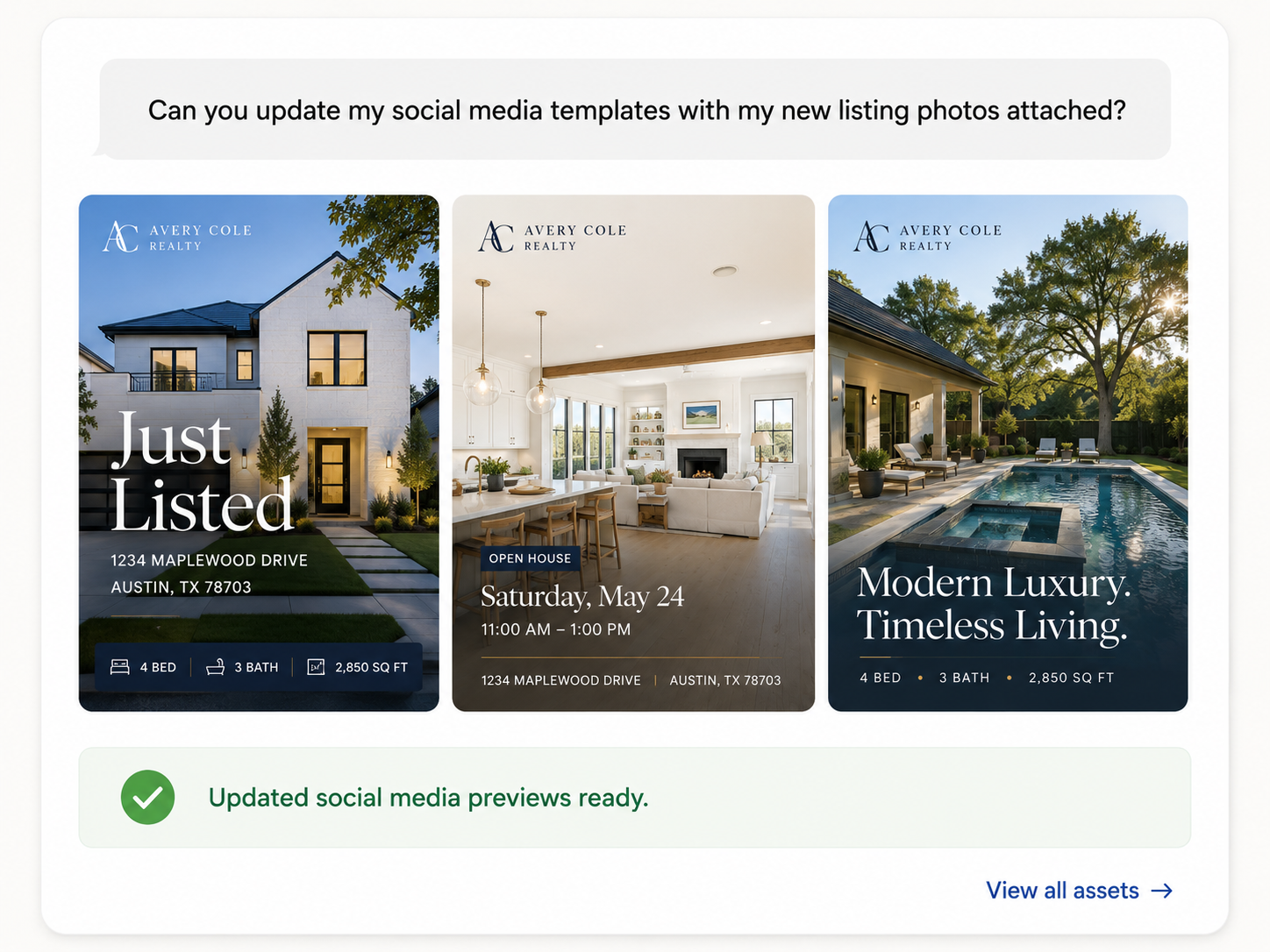
Through MCP, AI assistants can import existing designs as new templates, update creative, personalize content, handle bulk administrative tasks, and automate production workflows.
Instead of generating designs from scratch, templates define the approved design and brand framework, while AI helps manage, update, personalize, and scale the work around them.
The broader Design Huddle AI Suite also includes AI Creative Tools, Agent Skills, and the upcoming Design Huddle Agent, extending AI across content creation, integrations, template management, and workflow automation.
Important considerations
Design Huddle is focused on creating, personalizing, and automating brand-controlled content. Email marketing and broader campaign execution are not currently supported, so organizations that need those capabilities typically connect Design Huddle with other marketing platforms.
Marvia
Marvia is best for brand-controlled content customization, local campaign distribution and tracking, and direct ad publishing across franchise, dealer, and multi-location networks. It brings templates, centralized brand assets, a built-in marketing calendar, and a supplier ordering shop into one platform for content creation and local marketing execution.
Corporate teams define templates, editing permissions, and optional approval workflows. Distributed users personalize materials for their markets, publish social content and ads, and order printed materials through their suppliers.
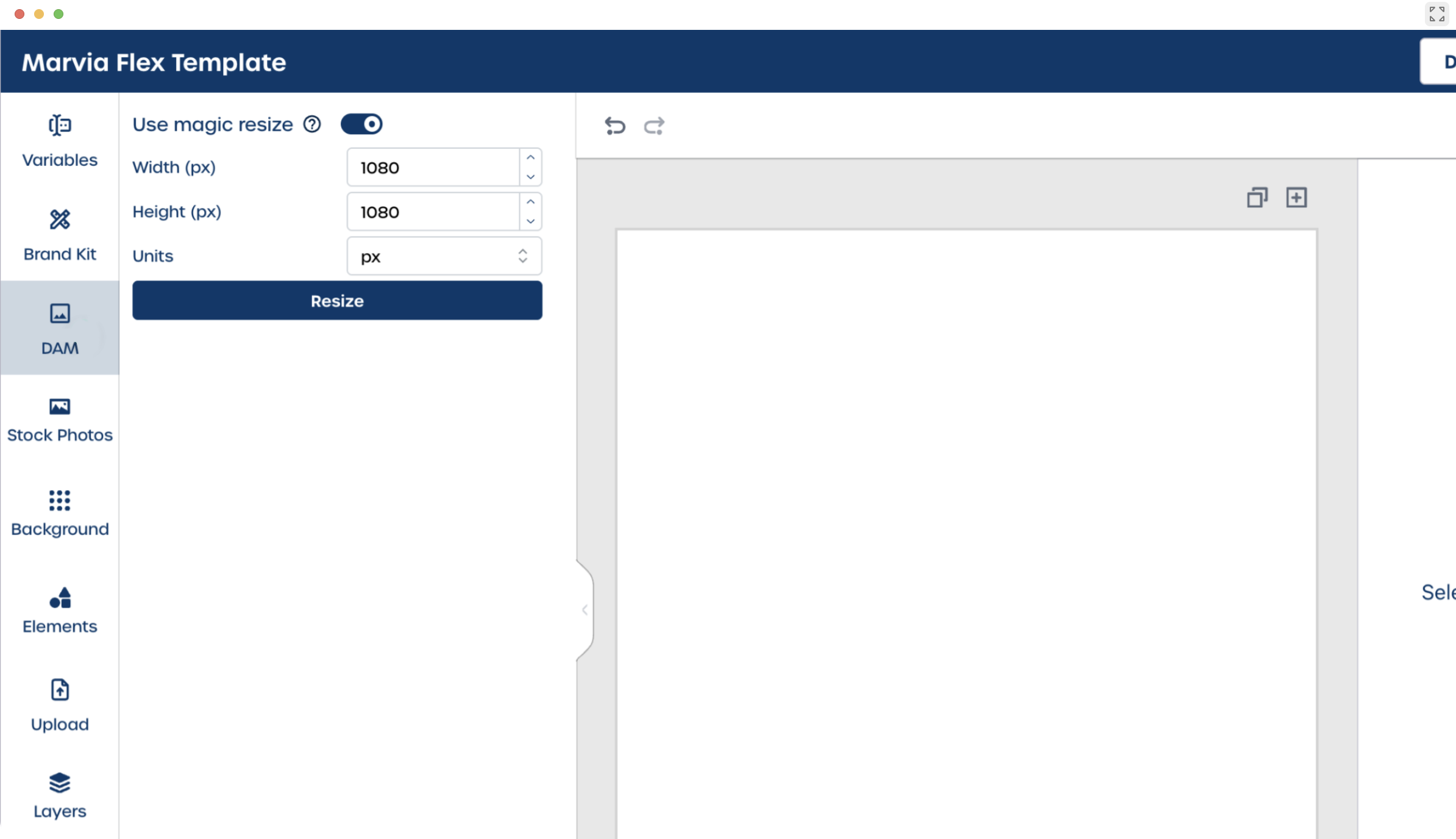
Brand-controlled templates and automatic localization
Brand controls define which elements remain protected and which users can edit. Local teams see real-time previews as they make permitted changes, with approval workflows available before they publish or print content.
Marvia DNA automatically populates templates with information stored in user and location profiles, including contact details, pricing, imagery, and product information. For example, a franchisee can open an approved promotional template with their location’s address, logo, and pricing already filled in. Groups and permissions determine which materials each user or location can access.
The distinction is where personalization enters the experience. Marvia emphasizes automatically localizing templates for the person using them. Design Huddle’s Smart Template Previews extend personalization to template selection, letting users browse multiple designs pre-populated with their data before choosing one for optional editing.
Local campaign coordination and social distribution
Marvia extends beyond template customization into local campaign execution. Its Marketing Calendar gives central and local teams a shared view of planned activity, while Social Campaigns generates localized posts using each location’s data.
Teams can review, adjust, and schedule content to Facebook, Instagram, and LinkedIn, then track performance across locations. Corporate teams choose whether campaigns roll out automatically, require location opt-in, or require approval before publishing.
Print customization and supplier-connected ordering
Marvia supports web-to-print workflows through customizable templates, print-ready output, and connected print suppliers. Documented production controls include CMYK, PDF/X-4, ICC profiles, bleed, and crop marks.
Its Marketing Shop centralizes supplier ordering and provides inventory visibility, approval workflows, payment options, and bundled materials. Local teams order through the portal while corporate maintains oversight of suppliers, spending, and available products.
AI-assisted content and asset management
Marvia AI supports routine work within the platform, including generating social captions, translating, checking spelling, and automatically tagging assets. Its AI Assistant helps users find approved assets by describing what they need, then download or share the results.
Important considerations
Marvia’s broader local marketing offering makes it a relevant option for organizations that want template customization, asset access, campaign coordination, and supplier ordering in one portal. Organizations primarily seeking creative tools within an existing application should assess how that portal-based workflow fits their deployment needs.
Marvia offers an API for integrations, but embedded creative editing and headless creative generation are not prominently documented in the public materials reviewed. Teams with specialized print requirements should also confirm recipient-level VDP support.
Marq
Marq is best for self-service content creation from approved brand templates, with straightforward personalization, centralized brand assets, and content distribution. Corporate teams can lock brand-critical elements, manage permissions and approvals, and give distributed users a central place to personalize approved content.
Marq supports both digital and print workflows, including web publishing, social distribution, print ordering, and direct mail. It also offers data-driven personalization and automation to help teams create localized content at scale.
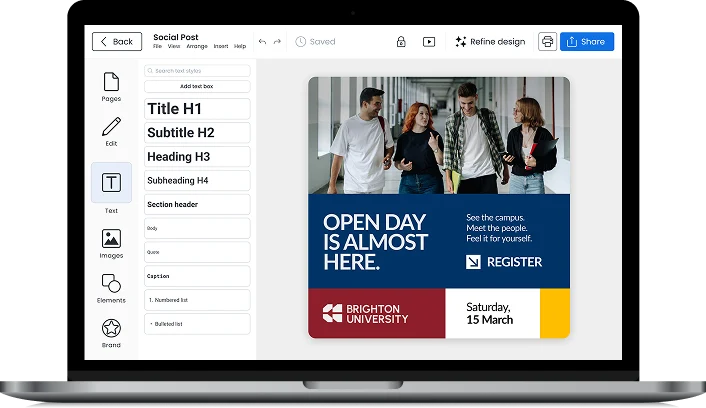
Flexible template creation and sourcing
Marq recommends creating templates directly in its editor. Teams also have the option to import existing InDesign files and convert them into brand templates, though imported designs may require corrections to formatting or layout. Another starting point is Marq’s library of more than 10,000 professionally designed templates.
Data automation and distribution
Marq supports automatic template population through Smart Fields and connected data. Smart Fields insert frequently used organization, team, or user information, while Data Automation draws content from connected datasets. More advanced workflows support automated project creation, data syncing, approvals, and publishing.
Publishing options include web content, direct social sharing, print orders, and direct mail. Marq also generates HTML for email content and integrates with email platforms such as Mailchimp and Constant Contact.
Video through SundaySky
Marq introduced Advanced Video in 2026 through an integration with SundaySky. The offering brings personalized, brand-controlled video into the Marq experience, allowing teams to use audience data to personalize narration, visuals, text, and calls to action while keeping brand elements locked. Unlike Marq's core digital and print editing tools, Advanced Video runs on SundaySky and must be activated as an integration.
AI-powered brand governance and workflow automation
Marq’s AI capabilities emphasize brand governance and brand-aware content creation. Tools such as Brand Guardian help identify content that falls outside brand guidelines, while AI Marqet automates repeatable workflows such as project creation, approvals, data updates, and publishing.
Marq is also developing Brand OS in beta to make content generation more brand-aware, while Marq MCP connects AI assistants to templates, documents, brand kits, and data.
Important considerations
Organizations with specialized requirements should closely evaluate individual workflows. Advanced video is delivered through a separately activated SundaySky integration, email campaign execution relies on external email platforms, and organizations with complex commercial print or highly customized production requirements should confirm that Marq's print capabilities meet their specific needs.
11 questions to ask before choosing distributed marketing software
Before selecting a distributed marketing platform, teams should evaluate not only what the software can do, but how well it fits their users, workflows, brand controls, content types, and technical requirements. The following questions provide a practical starting point for comparing options.
- What types of content do local users need to create: digital, print, promotional products, video, or all of the above?
- Should templates already include each user’s or location’s information at login?
- How much of each template should local users be allowed to change?
- How intuitive must the editor be for non-designers?
- Can marketing teams create and maintain templates without developer resources?
- What variable data printing, color management, large-format, or other print-production requirements must be supported?
- Is native video creation required?
- Are native email or drip campaigns required, or will those functions live in another marketing platform?
- Is a ready-to-use portal required?
- Could content creation eventually need to be embedded into another application or automated through APIs?
- Should AI assistants, agents, or other AI workflows be able to connect directly to creative production and automate content or template-related tasks?
Frequently asked distributed marketing software questions
What is distributed marketing software for content creation?
Distributed marketing software allows a central marketing team to create approved templates and brand rules while giving local users controlled ways to personalize marketing content for their market. For a deeper breakdown of how these platforms work, see our complete guide to distributed marketing software.
Which platform is best for web-to-print and variable data printing?
Design Huddle, Marvia, and Marq all support web-to-print workflows, but their print personalization capabilities differ. Marvia supports user- and location-based personalization, while recipient-level VDP is not publicly documented.
Design Huddle stands out for organizations that need advanced print capabilities, including VDP, large-format output, promotional-product mockups, print-ready files, and print-fulfillment integrations—all within the same platform used to create digital and video content.
Explore Design Huddle’s web-to-print capabilities.
See how Design Huddle supports variable data printing (VDP).
Which distributed marketing platform supports video?
Design Huddle provides native video creation, templating, editing, personalization, and automation within the same platform used for digital and print content. Teams can build brand-controlled video templates with text, logos, images, animations, transitions, and audio, then automatically personalize those videos with data or allow users to make approved edits in the editor.
Marq offers brand-controlled, personalized video creation through its SundaySky integration.
Choosing the best distributed marketing software for your team
The best distributed marketing platform should do more than protect the brand. It should make it easier for corporate teams to scale campaigns, reduce repetitive localization work, and let local users create without needing design expertise.
That means looking beyond basic template editing to the full experience.
-
How is content personalized?
-
How much work is automated, and how does AI fit into creative workflows?
-
Which media types are supported, and how easily can local users make approved changes?
The platform should support today’s workflows while leaving room for future growth.
Design Huddle gives distributed teams a modern platform to create and personalize on-brand content at scale, combining self-service editing and creative automation across digital, advanced print and VDP, promotional products, and native video.
See how Design Huddle can simplify distributed content creation for corporate and local teams. Request a demo.